
Download Nisus Writer – multilingual word processor, fast, secure, affordable
Overview
Nisus Writer Express is a budget‑friendly alternative to Microsoft Word that focuses on powerful multilingual support while keeping the price low. Developed for macOS, it delivers an elegant, clean interface that appeals to writers, students, and professionals who need to handle documents in a variety of languages, including those with complex scripts and right‑to‑left orientation. The core of Nisus Writer Express revolves around rich text formatting (RTF) which guarantees that every file you create can be opened, edited, and preserved across virtually any other word‑processing program.
Recent updates have added modern conveniences such as text wrap around images, improved widow and orphan control, small‑caps support, and a dramatically upgraded Find & Replace engine that respects text attributes like style, font, and language. While it lacks some heavyweight features found in the full Nisus Pro edition—such as automatic Table of Contents generation, advanced indexing, and bookmark management—the Express version still packs enough capability to satisfy most day‑to‑day writing tasks. The biggest complaint from users is speed: document opening and large‑file handling can feel sluggish compared with Microsoft Word, even though the app is lighter than its Pro sibling.
Nonetheless, for anyone who needs a secure, RTF‑centric editor with deep language handling and a price point that won’t break the bank, Nisus Writer Express remains a compelling choice.
Key Features of Nisus Writer Express
- Multilingual Engine: Full support for over 50 languages, including complex scripts, diacritics, and right‑to‑left writing systems.
- Attribute‑Sensitive Find & Replace: Search by font, style, language, or case while preserving formatting.
- Glossary Management: Built‑in glossaries let you store terminology and quickly insert definitions.
- RTF‑Native Editing: All documents are saved in Rich Text Format, ensuring compatibility with Word, Pages, LibreOffice, and other editors.
- Text Wrap Around Images: New layout engine lets images sit seamlessly within paragraphs.
- Widow/Orphan Control & Small Caps: Professional typographic controls for polished documents.
- Macro Language Database: Custom scripts can automate repetitive tasks, enhancing productivity.
- Lightweight Design: Although slower than Word, it uses fewer system resources than the full Nisus Pro suite.
- Secure Updates: Automatic, signed updates keep the software safe from tampering.
- Intuitive Interface: Minimalist toolbar and customizable palettes reduce visual clutter.
Beyond the bullet points, each feature is designed to integrate smoothly with the overall workflow. For example, the attribute‑sensitive Find & Replace not only locates text based on visual characteristics but also respects language tags, which is invaluable when editing documents that mix English with Japanese or Arabic. The Glossary tool works like a personal dictionary: you can import CSV files, assign shortcut keys, and insert entries with a single keystroke, which speeds up technical writing and translation work.
Even though the program does not include a built‑in Table of Contents generator, you can still create one manually using heading styles and the powerful Find function. The macro language, while not as extensive as in the Pro version, still allows you to script repetitive formatting actions, such as applying a specific style to all headings in a document. These capabilities collectively make Nisus Writer Express a solid, affordable contender in the word‑processor market.
Installation, Usage & Compatibility
Step‑by‑Step Installation
Installing Nisus Writer Express is straightforward and follows the typical macOS application workflow:
- Visit the official Nisus website and locate the Download Nisus Writer Express button.
- The installer (.dmg) will begin downloading. Once complete, double‑click the file to mount the disk image.
- Drag the Nisus Writer Express icon into your Applications folder.
- Launch the app. macOS may display a security warning because the app is not from the App Store; click Open Anyway in System Preferences > Security & Privacy.
- The first run will prompt you to accept the license agreement and optionally register for automatic updates.
After installation, the program registers itself as the default handler for .rtf files, though you can change this in macOS’ Get Info dialog if you prefer another editor for certain tasks.
Getting Started with the Interface
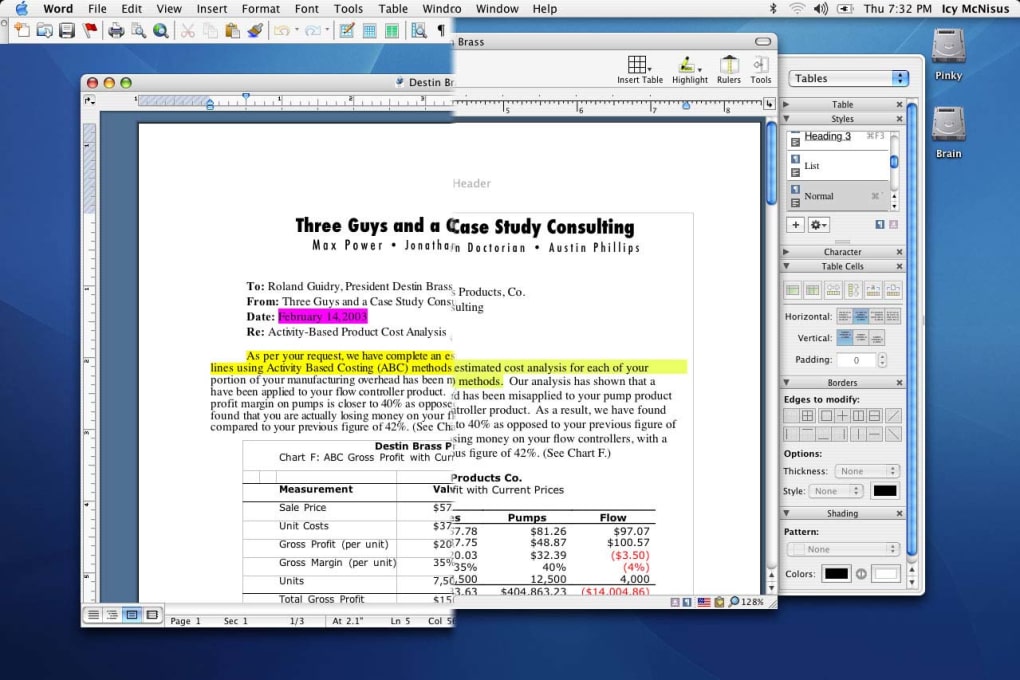
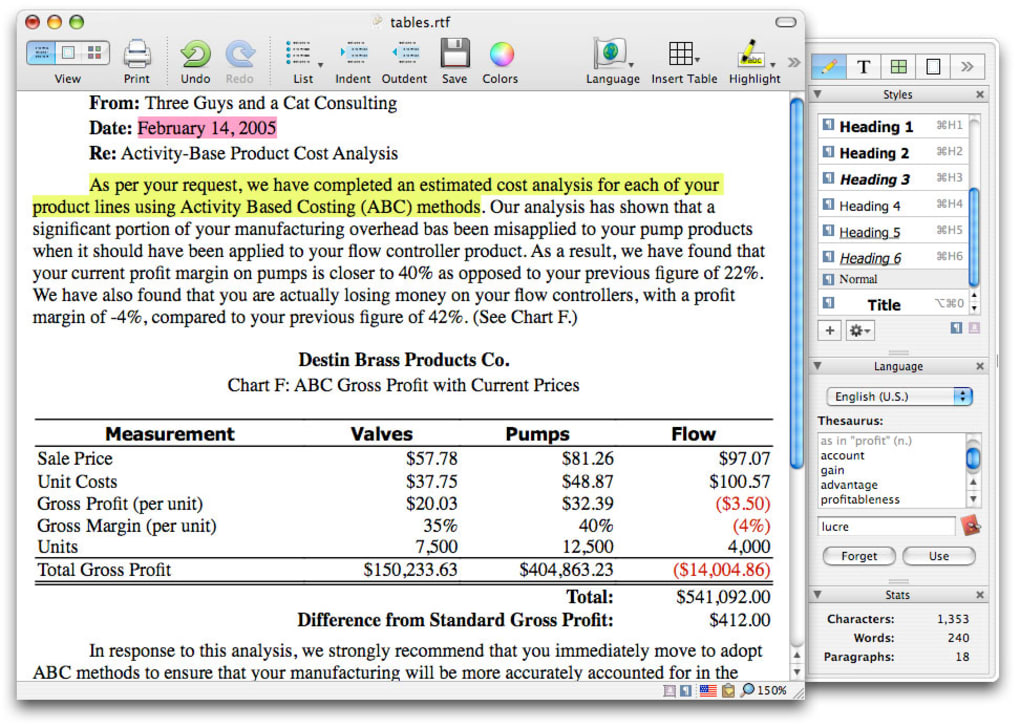
The main window is divided into three zones: the toolbar at the top, the formatting sidebar on the left, and the document canvas in the center. The toolbar hosts common actions (new, open, save, print) while the sidebar contains style palettes, language selectors, and macro controls. To start a new document, click File > New or use the ⌘N shortcut.
Choose RTF as the file type to ensure maximum compatibility. From there, you can select a language from the drop‑down menu, which instantly activates the appropriate input method and spell‑check dictionary. The attribute‑aware Find & Replace is accessed via Edit > Find > Advanced…, where you can tick boxes for “Match Font,” “Match Style,” or “Match Language.” This granularity is especially helpful when editing bilingual contracts or academic papers with mixed citations.
Operating System Compatibility
Nisus Writer Express is currently built for macOS 10.13 (High Sierra) and later. While the company once offered a Windows version under a different name, the Express edition is now macOS‑only. This focus allows the developers to harness native Cocoa APIs for smoother text rendering and tighter integration with macOS accessibility features. Users on Windows or Linux can still run Nisus Writer Express via a virtual machine or a macOS cloud service, but native performance will be limited. The app does not have mobile versions for iOS or Android, so it remains a desktop‑centric solution.
Overall, the installation process is quick, the learning curve gentle for basic tasks, and the compatibility with recent macOS releases ensures that you can run Nisus Writer Express securely with the latest system updates.
Pros and Cons – A Balanced Look
Pros
- Excellent multilingual support, including right‑to‑left languages.
- Attribute‑sensitive Find & Replace saves time on complex documents.
- RTF‑native saves ensure maximum cross‑application compatibility.
- Lightweight compared with the full Nisus Pro suite.
- Glossary and macro features boost productivity for technical writers.
- Secure, signed updates keep the software safe.
- Elegant, minimalistic UI reduces visual clutter.
- Affordable one‑time purchase with no subscription.
Cons
- Slower document opening and large‑file handling compared with Microsoft Word.
- Lacks advanced features such as automatic Table of Contents, indexing, and bookmarks.
- Mac‑only; no native Windows, iOS, or Android versions.
- Limited collaboration tools; no built‑in cloud syncing.
- Macro language is less powerful than the Pro edition.
When weighing these strengths and weaknesses, it becomes clear that Nisus Writer Express shines for users who prioritize language handling and RTF compatibility over heavy‑duty publishing features. If your workflow involves frequent multilingual editing, the pros outweigh the speed drawbacks. Conversely, teams that rely on fast document turnover or need sophisticated layout tools may find the cons more limiting.
Overall Rating: 4 out of 5 stars
Summary: Nisus Writer Express offers a compelling mix of multilingual power and RTF compatibility at an attractive price, though performance and feature depth lag behind premium competitors.
FAQ & Conclusion
Can I open Microsoft Word (.docx) files in Nisus Writer Express?
Nisus Writer Express imports .docx files by converting them to RTF on the fly. Most formatting, styles, and images are retained, though complex elements like advanced tables or embedded objects may require manual adjustment after import.
Is there a free trial or demo version available?
Yes, the official website offers a 30‑day free trial with full functionality. No registration is required; you simply download the trial installer and evaluate the software before purchasing.
How does Nisus Writer Express handle right‑to‑left languages?
The application includes native support for right‑to‑left scripts such as Arabic and Hebrew. When you select a RTL language from the language palette, the paragraph direction, cursor behavior, and spell‑check automatically adapt to the chosen script.
Can I export my document as PDF directly from Nisus Writer Express?
Yes, the program includes a built‑in PDF export function. Choose File > Export > PDF, adjust the export settings (resolution, embedding fonts, etc.), and save the PDF for sharing or printing.
Is there any cloud integration for collaborative editing?
Nisus Writer Express does not have native cloud‑based collaboration tools. However, you can store RTF files in any cloud service (iCloud, Dropbox, Google Drive) and share them manually. Real‑time co‑authoring is not supported.
Final Verdict
For writers, translators, and academics who need a reliable, multilingual word processor without the recurring costs of a subscription, Nisus Writer Express delivers a solid mix of features, security, and cross‑application compatibility. Its attribute‑aware Find & Replace, robust glossary system, and native RTF handling make it stand out in a crowded market. The primary drawbacks—slower performance on large files and the absence of some advanced publishing tools—mean it’s best suited for users whose work revolves around text composition rather than complex layout design. If you’re ready to upgrade from generic text editors or looking for a cost‑effective alternative to Microsoft Word, download Nisus Writer Express today and experience a streamlined, language‑focused writing environment.
Click here to download the latest version of Nisus Writer Express and start a 30‑day free trial.







